


I added a selection-based lookup tool to Bekiut’s Babylonian Talmud reader. Selecting a Hebrew or Aramaic word brings up five dictionary choices: Jastrow, Ben-Yehuda, Brown–Driver–Briggs (BDB), English Wiktionary, and Hebrew Wiktionary. Clicking one loads a short excerpt on the same page. Selecting a phrase instead offers a Google AI query that includes the tractate, daf, and side of the page.
The immediate use is ordinary reading. A word interrupts the sentence; checking it should take as few steps as possible. Previously, a reader could open a dictionary, enter the word, read the results, and return to the passage. The new tool puts the initial lookup alongside the passage. The full dictionary remains available through a link, while the excerpt provides enough information to decide whether an entry is relevant.
The interaction was inspired by my work on the Bochart Hierozoicon reader, which now offers lookup actions for selected text and displays Wiktionary definitions in a card.1 I adapted that approach for the Bavli reader’s Hebrew and Aramaic text. Bekiut already has readers for three dictionaries, so the selection tool also provides a shorter route into those resources.
Five dictionaries, different kinds of evidence
The choices serve different purposes. Jastrow covers rabbinic Hebrew and Aramaic. Ben-Yehuda places a word within a broader historical Hebrew dictionary. BDB is particularly relevant when a discussion quotes a biblical verse or turns on biblical vocabulary. The two Wiktionary editions add another source of definitions, grammatical labels, and information about word forms. Their coverage and organization differ from those of the historical dictionaries.
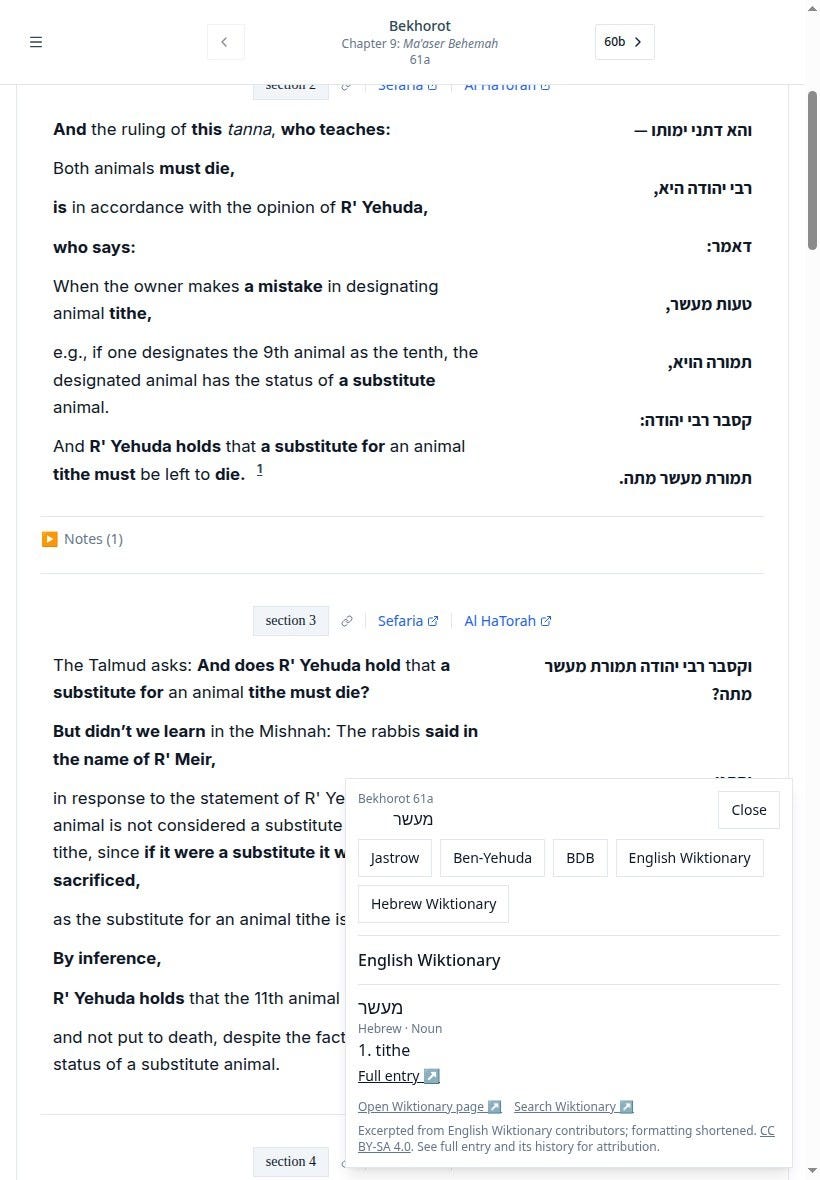
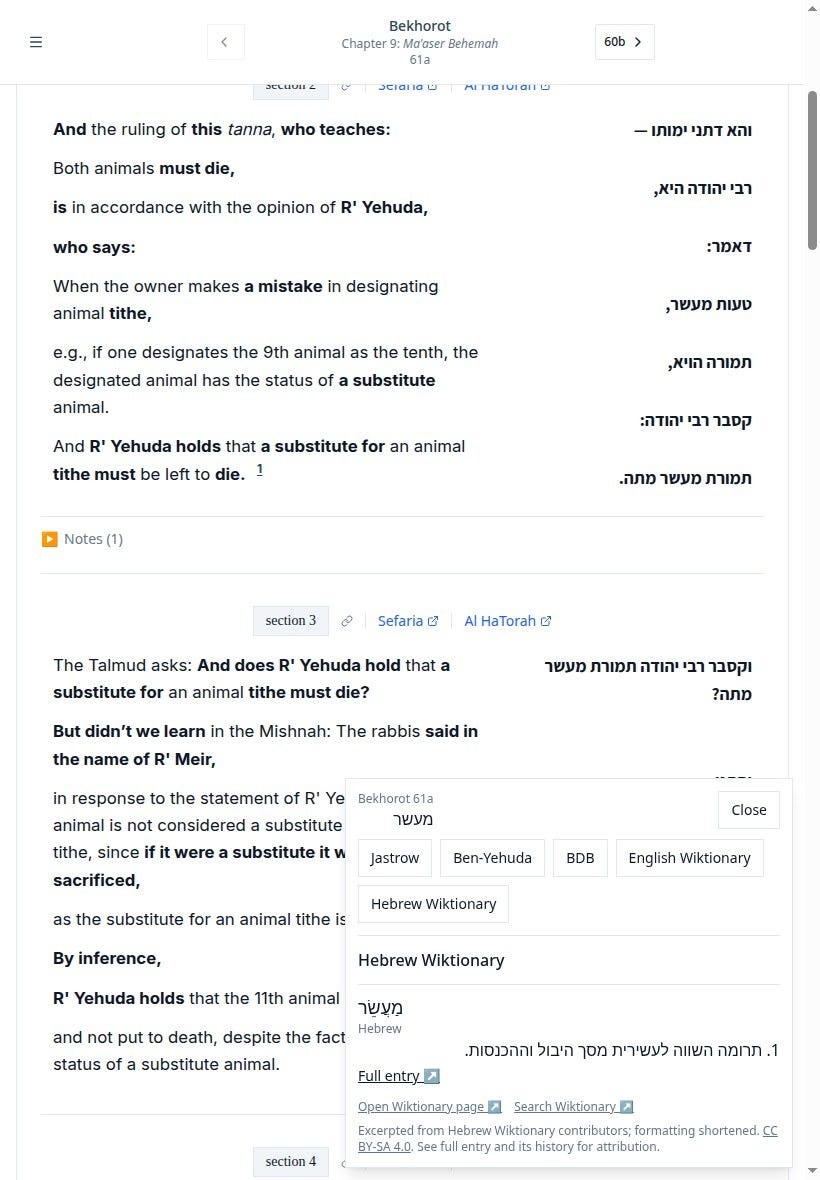
The English Wiktionary button searches for the selected Hebrew spelling in the English-language edition. Its preview includes Hebrew and Aramaic entries, with labels indicating the language and part of speech. The Hebrew Wiktionary button shows Hebrew definitions from the Hebrew-language edition. Neither button translates the selected passage. Each displays excerpts from an existing dictionary page, with a link back to that source.
Screenshot, looking up the Hebrew word מעשר in Bekhorot 61a; English Wiktionary supplies ‘tithe’ in a card alongside the passage:
The same selected word in Hebrew Wiktionary, with a pointed headword, Hebrew definition, source links, and attribution:
The word אב provides a useful example of why the interface needs to keep results separate. During development, English Wiktionary returned six Hebrew and Aramaic groups for that spelling. Hebrew Wiktionary supplied four separately headed entries: אָב א, אָב ב, אָב ג, and אֵב. These are counts from one lookup, not a measure of either dictionary’s total coverage. They also reflect different editorial groupings, so the two totals should not be treated as equivalent units.
The preview therefore shows separate cards rather than choosing the first response and presenting it as the answer. Each card includes a headword, an excerpt, and a full-entry link. Where the existing dictionary readers support a stable entry identifier, the link retains it. The reader still has to decide which meaning belongs in the passage. That decision can depend on syntax, the surrounding argument, or the source being quoted.
Keeping the selected spelling
I kept normalization limited. For dictionary lookup, the tool removes vowel points, cantillation marks, and surrounding punctuation. It preserves internal apostrophes and leaves prefixes in place. A maqaf between lexical words makes the selection a phrase. The original selected spelling remains visible and is retained in the contextual Google query.
This differs from Bochart’s more expansive lookup procedure, which tries additional forms by removing certain prefixes and endings. Such transformations can be useful, but they can also move the search to a different word. For this version of Bekiut, I wanted the initial lookup to remain tied to what the reader selected. A missing result is allowed to remain a missing result; the interface does not quietly replace it with a proposed root.
Dictionary results themselves can still identify an inflected form or point to another headword. That information belongs to the source entry. The distinction matters when a short Aramaic form resembles a Hebrew word or when a familiar sequence of letters has several unrelated readings. The preview gives access to the dictionary’s treatment without adding an automatic morphological analysis of its own.
Phrases retain their page reference
For a longer selection, the tool offers “Ask Google AI.” The query asks for an explanation of the selected Hebrew or Aramaic phrase in the Babylonian Talmud and includes a reference such as “Berakhot 2a.” The reference comes from the passage containing the selection. It does not depend on a URL fragment that may change while the reader scrolls.
Selecting the two Hebrew words טעות מעשר offers Google AI and ordinary Google Search, with Bekhorot 61a retained as the source reference (The screenshot shows the actions before either external link is opened.):
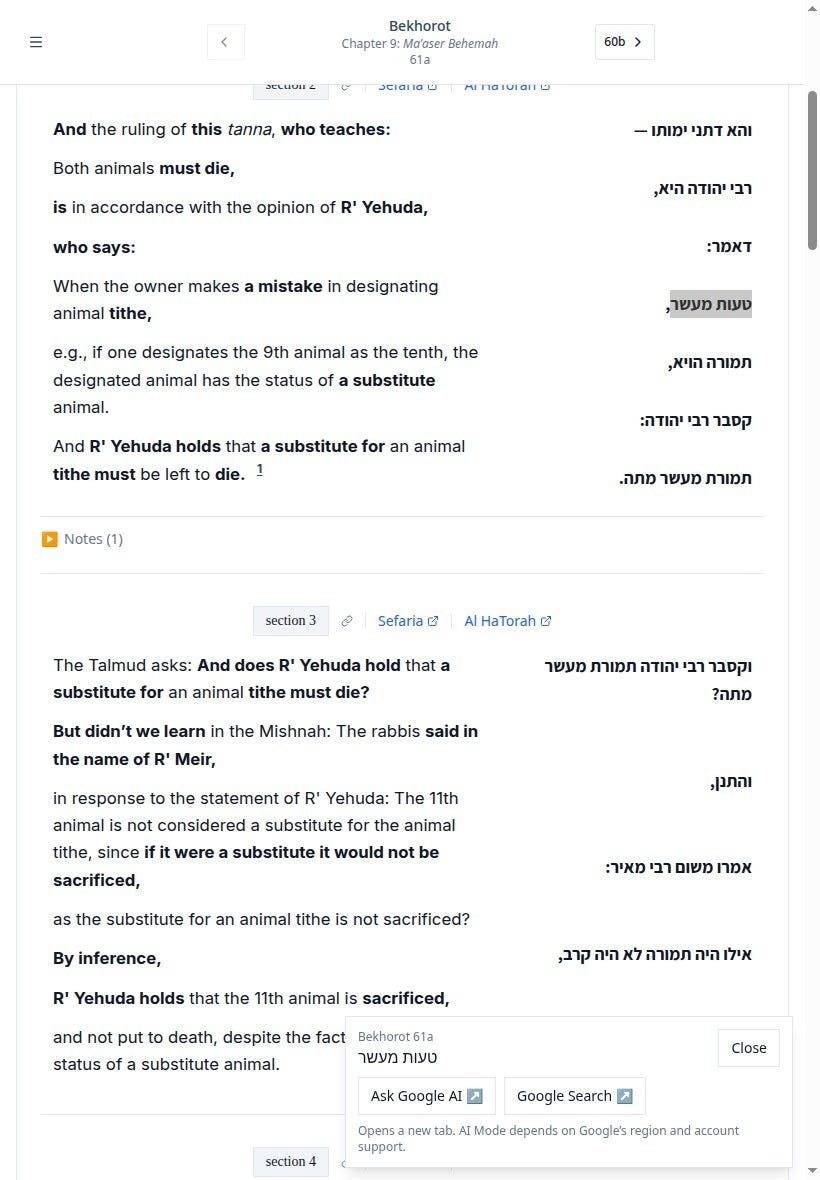
Google opens only after a click, in a new tab. An ordinary Google Search link is available alongside AI Mode, whose availability depends on Google’s regional and account support. Bekiut does not fetch or embed the answer. A generated explanation still needs checking against the passage and relevant sources, especially where the argument depends on a technical expression or an unstated distinction.
The lookup controls are limited to eligible Hebrew passage text in the Bavli reader. English text, footnotes, navigation, and selections crossing into another column do not activate them. Dictionary requests begin only after the reader chooses a source. Loading failures and empty results are shown explicitly, and a late response to an earlier selection cannot replace the current lookup.
The excerpts are deliberately short. They omit much of the material that makes a full dictionary entry useful, including extended citations and examples. The feature’s purpose is to make the first check easier while keeping the passage in view. The full-entry links remain necessary for reading beyond that initial check, and the current implementation leaves the other text readers unchanged.
Appendix - Technical
Implementation
The feature uses TypeScript and React in the existing Bekiut web application. Its principal files are:
artifacts/chavrutai/src/lib/hebrew-selection.ts: selection validation, normalization, and external query URLs.artifacts/chavrutai/src/components/text/hebrew-selection-lookup.tsx: the debounced toolbar, result cards, and request lifecycle.artifacts/chavrutai/src/lib/selection-dictionary.ts: adapters for the existing Jastrow, BDB, and Ben-Yehuda endpoints.artifacts/chavrutai/src/lib/wiktionary-preview.ts: adapters for the two public Wiktionary APIs.
The controller waits 350 milliseconds after a selection change before displaying its actions. It checks every selected non-whitespace text node against the eligible passage boundary and source reference. A selection’s endpoints alone are insufficient: the intervening content could include English text or a note.
Normalization decomposes Unicode characters, removes Hebrew combining marks and directional controls, and trims surrounding punctuation. Word classification counts Hebrew-letter groups while retaining internal apostrophe and quotation-mark forms. There is no candidate-generation loop for stripping prefixes or suffixes.
English Wiktionary uses https://en.wiktionary.org/api/rest_v1/page/definition/{word}. The adapter retains the Hebrew (he) and Aramaic (arc) groups. Hebrew Wiktionary’s equivalent REST definition endpoint returned HTTP 501 during development. Its MediaWiki Action API worked: action=parse, prop=text, formatversion=2, and origin=* return rendered entry content as JSON.
The Hebrew adapter parses that content in a detached document. It extracts numbered definition lists associated with headword headings, before subsidiary sections such as etymology or translation. It removes nested quotation and example lists. Both adapters return plain-text excerpts.
I plan to discuss those and other new features in that reader in a future piece.