


Last week I wrote about putting Samuel Bochart’s Hierozoicon (1663) online. It is a classic study of the animals of the Bible, written in Latin, with quotations in Hebrew, Aramaic, Greek, Arabic and Syriac on almost every page. It has never been translated. I am transcribing and translating it with AI tools and publishing it as I go: https://ezrabrand.github.io/bochart-hierozoicon/
That post was about the text: how it is read from the scans, how it is checked, what it costs. This one is about the page you read it on. A book like this is hard to use even in English: It is long, it argues from single words in six languages, and every claim rests on a source that the reader may want to see. So I have spent as much time on the reader as on the text; here is what it does today.1
What is there
The site now has 52 chapters, 462 pages of the printed edition. They cover the end of the quadrupeds (the shafan, the mouse, the mole, the hedgehog), the lizards of Leviticus 11, and then the birds, clean and unclean: the dove and Noah’s dove, the turtledove, the swallow, the crane, the quail of the wilderness, the cock, the sparrow, the eagle, the raven that fed Elijah, and the ostrich of Job 39. With these, the text has reached the end of the second of the three volumes.
Two columns
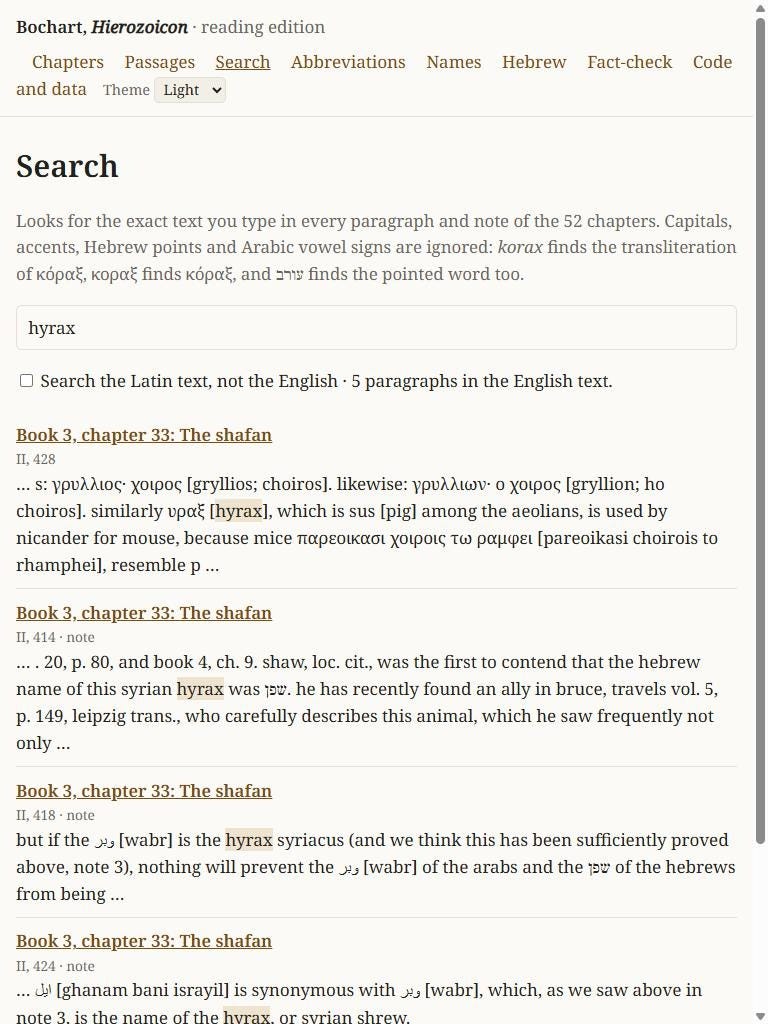
Each chapter shows Bochart’s Latin on the left and the English on the right, paragraph by paragraph. On a phone the two are stacked. If you do not want the Latin, one switch hides it and the English fills the page.
Hebrew stays in Hebrew letters. A Greek or Arabic word is followed by a transliteration in grey brackets, and a Syriac word by the same word in Hebrew letters, which many readers of this blog will find easier. Bochart cites his authorities by short forms that were clear in 1663 and are not now: “the Elders” for the Septuagint, a bare “Kimchi”, an abbreviated title. A dotted underline marks each of these, and the identification follows in brackets. Both kinds of help can be switched off for a clean page.
The notes are of two kinds: Bochart’s own, and those of Rosenmüller, who edited the book in the 1790s and often disagrees with him. Point at a note number, or tap it, and the note opens in place.
Finding things
The front page lists the chapters in the order of the book, each with Bochart’s thesis in one line (e.g., “the shafan is not the rabbit but a kind of larger mouse”).
Screenshot:
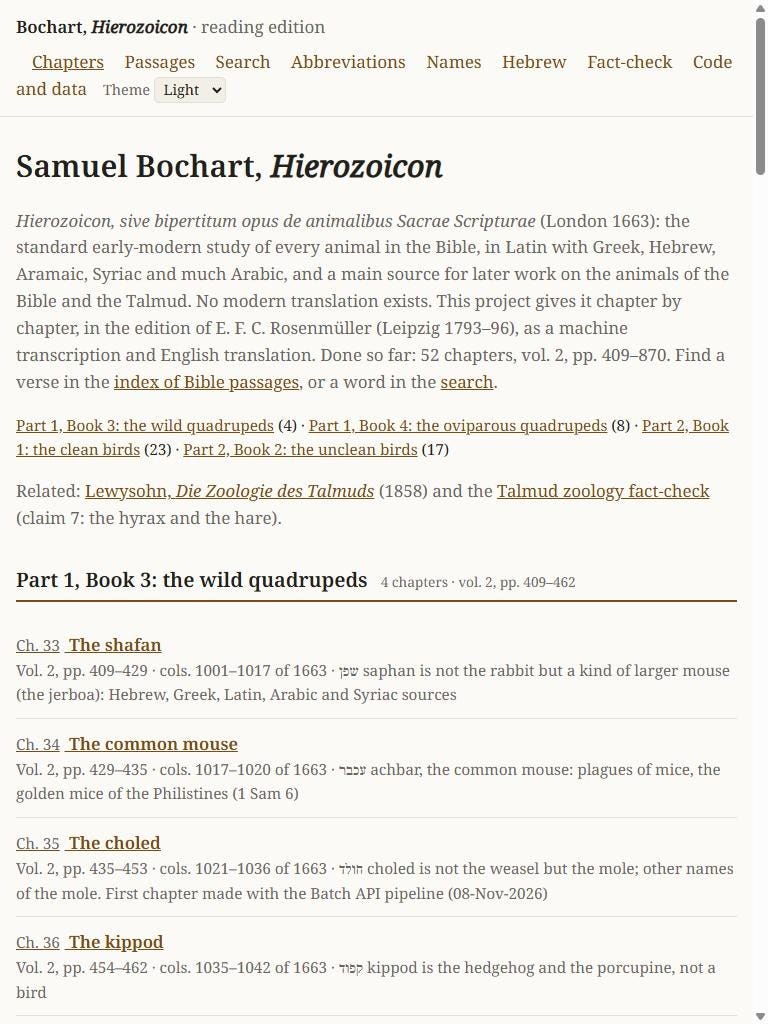
Every paragraph has a fixed link, and so does every page of the edition and every column of the 1663 original, so a reference from an old book (”Bochart, col. 1003”) can be followed directly.
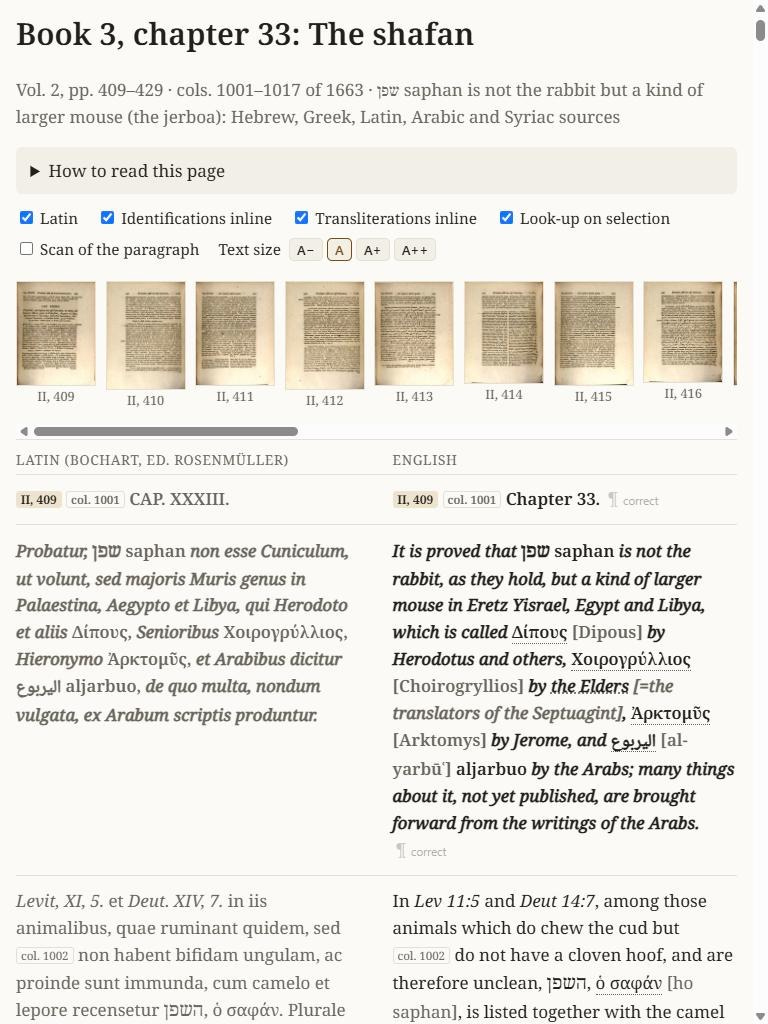
There is an index of Bible passages: 536 verses that Bochart discusses in these chapters, in the order of the canon, each with a link to the place. If you want to know what he says about Proverbs 30:26 or Jeremiah 8:7, start there.
Screenshot:
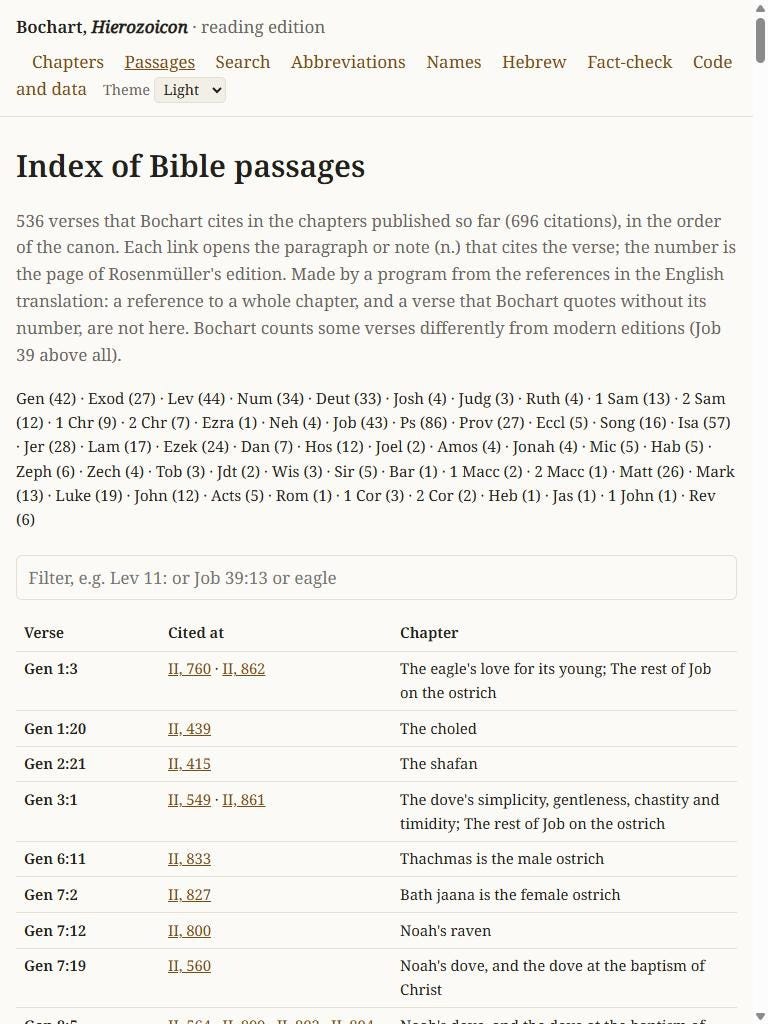
There is a search over the English and the Latin, which ignores accents and vowel points. And there are tables of the people and the abbreviations he cites.
Screenshot:
Checking the print
This is machine work, and I say so on every page. The remedy is to make the original easy to see. Each page number in the text links to the scan of that page at the Bavarian State Library.
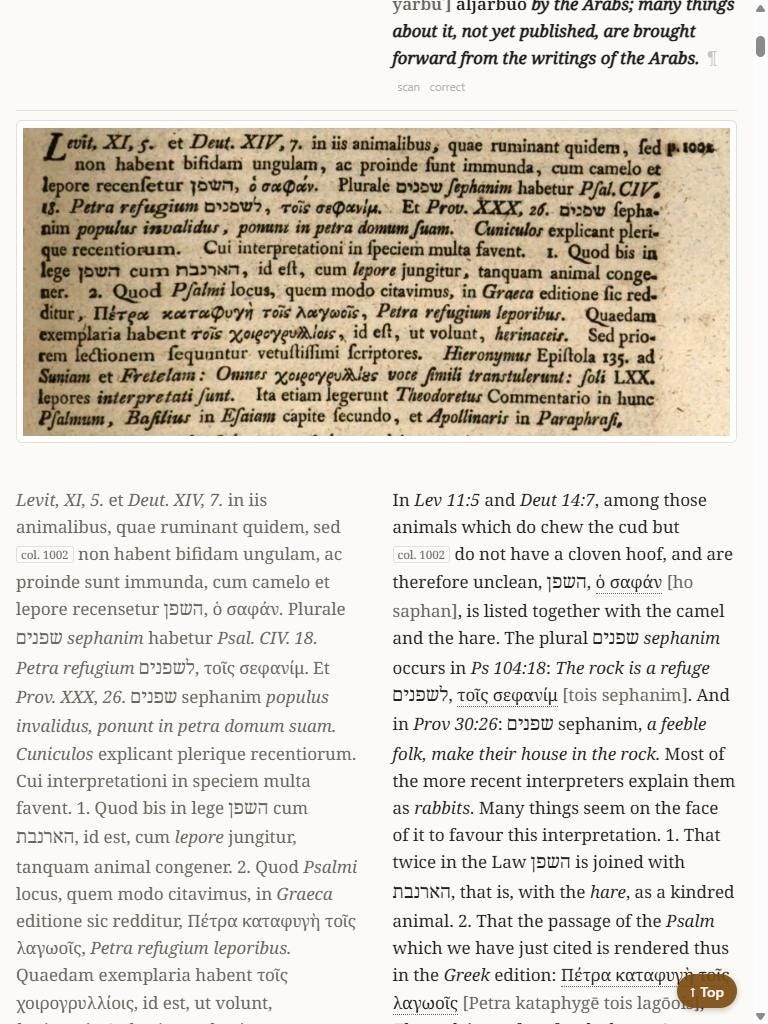
This week I added something closer. Switch on “Scan of the paragraph”, and a small “scan” button appears after each paragraph. It shows the printed lines of that paragraph, cut from the library’s scan, directly above the text. You can compare a Hebrew word with the print without leaving the page.
Screenshot:
Looking words up
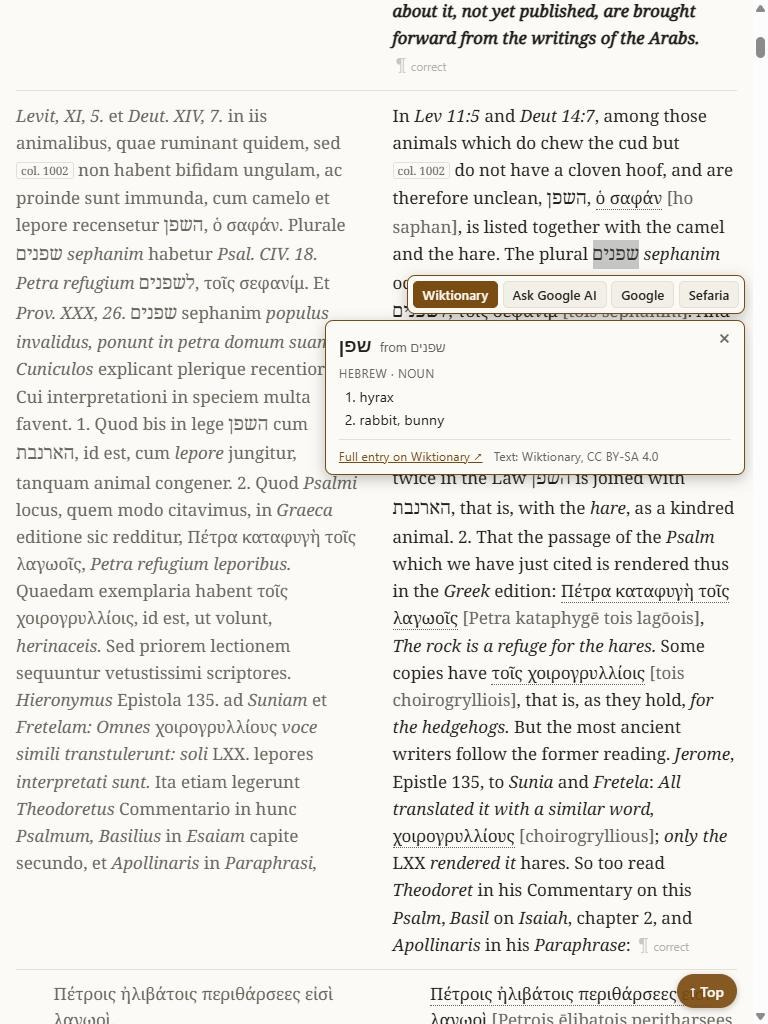
Select a single word, in any of the languages, and a “Wiktionary” button appears. It opens a small card on the page with the dictionary entry. Select שפנים and the card shows שפן: “hyrax; rabbit”. That happens to be the whole dispute of the first chapter in three words. Select the Latin muribus and it tells you this is a form of mus, mouse, and one more tap gives the entry. For Hebrew, Arabic and Latin this works well. For Greek it is weaker, because the dictionary has fewer forms, and the card then offers a link to the standard Greek lexicon instead.
The same selection offers a search in Sefaria for a Hebrew phrase, and a question to Google’s AI about the passage, for a reader who wants a first explanation of an obscure sentence.2
Screenshot:
Corrections, and comfort
After each paragraph there is a link marked “correct”. It opens a short form with the chapter and paragraph already filled in. If you see a wrong letter or a doubtful translation, that is the fastest way to tell me.3
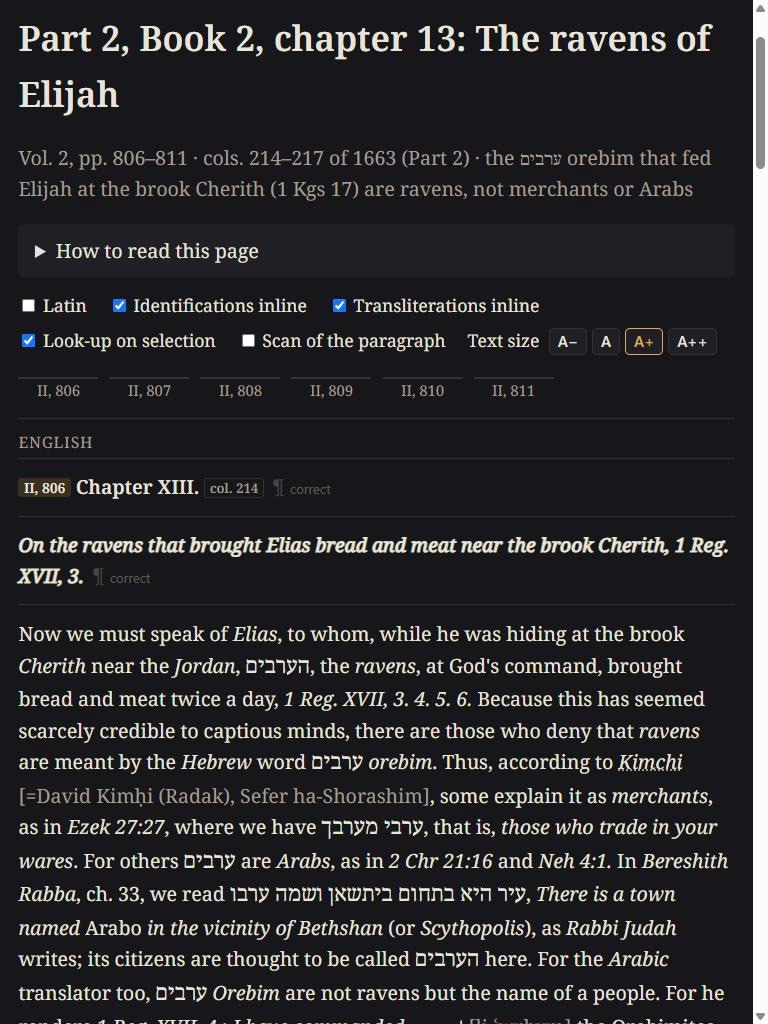
There are four text sizes and three color themes, light, paper and dark; the site remembers the user’s choices.
Screenshot (in dark theme):
Next
The third volume continues the second part of the work, beyond the birds. The first part, with the domestic animals and the wild beasts, fills the first volume and the opening 400 pages of the second, and comes after that. The code and the texts are free to use: https://github.com/EzraBrand/bochart-hierozoicon
Appendix - Technical
The site. Static HTML, one file per chapter, written by one Python script (build_site.py) and served by GitHub Pages. There is no server code, no database and no account. One shared stylesheet and one script of about 290 lines, with no framework. The reader’s choices (switches, theme, text size) are kept in the browser’s localStorage.
Text and anchors. The Latin and the English are stored as matching lists of blocks, so the two columns are aligned by construction. Each row has the id #p12; page marks give #pg787, and the margin numbers of the 1663 edition give #col198. Paragraph numbers can change if a chapter is joined again; page and column anchors cannot.
Identifications and transliterations. Added by code after translation, from two reviewed tables (about 150 names, about 30 abbreviations), and wrapped in spans that a CSS class shows or hides. Bible references are converted to SBL form; the passage index is built from those (536 verses, 696 citations).
Search. Two JSON files (English, Latin), one row per paragraph, 1,730 rows for 52 chapters. Diacritics, Greek accents and Hebrew points are folded at build time and in the query. The search runs in the browser.
Scan crop. The transcription keeps the printed line breaks. At build time the first and last line of each paragraph are matched (rapidfuzz) against the line boxes of the library’s own OCR layer (hOCR), page by page, in reading order. Before matching, specks and margin marks are dropped, the boxes are sorted from top to bottom, and pieces of one printed line are joined. Lines that the library OCR cannot read (Hebrew, Arabic) are placed by line count. Of 1,775 paragraph parts, 1,688 are placed by text and 87 by count. The result is a pixel box per page, stored on the row. The image is requested from the library’s IIIF server only when the reader clicks, so no scan is stored on the site (the rights statement is NoC-NC).
Dictionary card. A call from the browser to the Wiktionary REST API (/page/definition/WORD), which permits cross-origin requests and needs no key. The call is made only on a click. The word is normalized by script: Hebrew points and accents removed, then the plural ending, then one or two prefix letters; Arabic vowel signs and the article; Greek grave accent to acute; Latin j to i, ligatures opened, enclitic -que removed. The card shows only the language that fits the script, so a Latin word does not return its Catalan homograph. A “form of” entry links to its headword in the same card. Text from the API is inserted as text nodes, not as HTML. Wiktionary’s text is CC BY-SA 4.0 and is credited on the card.
Other look-ups. Plain links built from the selection: Sefaria search, Logeion (LSJ, Lewis and Short), Google search and Google’s AI mode with the chapter named in the question.
Corrections. A prefilled GitHub “new issue” link: chapter and paragraph in the title, the paragraph URL and any selected words in the body.
Cost so far. $59.90 in model calls for the 462 pages, about 13 cents a page, in a pilot and six runs, the last on 14-Nov-2026. The reader features above cost nothing to run.
Licence. Code, transcription and translation: MIT.
Note: Several of these additional features were inspired by those in another project, the Scriptorai open-access digital library of astrological texts, which shows the scan line and a dictionary sense beside every word. I took the ideas that suit long prose and left the rest.
It needs a free GitHub account. A comment on this post works too.