

I’m pleased to announce a new search feature for ChavrutAI that allows you to search across the entire Babylonian Talmud and Hebrew Bible (Tanakh) in both Hebrew and English: https://chavrutai.com/search
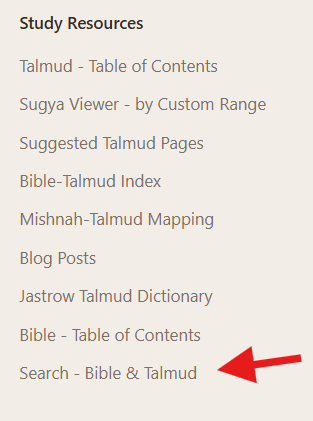
It can also be accessed via the general website footer, by clicking on “Search - Bible & Talmud”:
The motivation behind this feature is simple: when studying classical Jewish texts, you often want to find where a particular concept, name, or phrase appears. Now you can search directly within ChavrutAI and navigate to the results with a single click.1
Outline
Intro
What You Can Search
Search suggestions
“Hanukkah” (חנוכה)
“Rava”
“love your neighbor”
“Abraham”
How It Works
Direct Navigation
Filtering Results
What’s Not Included
A Note on Search Quality
Technical Appendix 1 - General
Architecture Overview
Search Flow
Path Filtering
Type Filter Implementation
Deep Linking
Autosuggest
Technical Appendix 2 - Filtering for Language and Version when fetching from Sefaria
What You Can Search
The search covers all 37 tractates of the Babylonian Talmud and all books of the Tanakh (Torah, Prophets, and Writings). You can search in Hebrew or English, and the results will show matching passages from both languages.
A few examples of what you might search for, with screenshots:
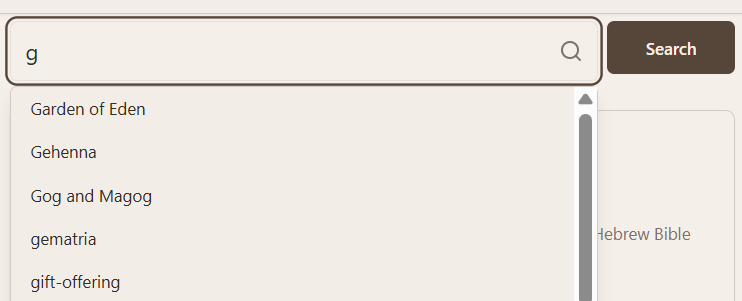
Search suggestions
Screenshot, after inputting “g”:
“Hanukkah” (חנוכה)
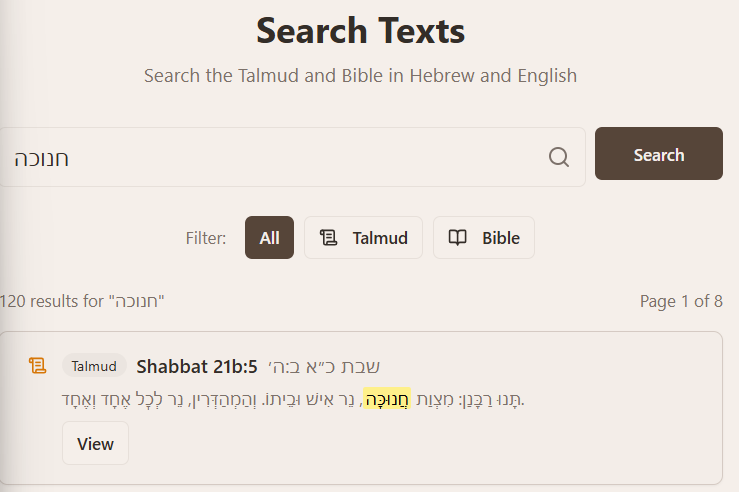
A word like “Chanuka” (חנוכה) to find discussions about that.
Screenshot, Hebrew search:
Screenshot, English search:

“Rava”
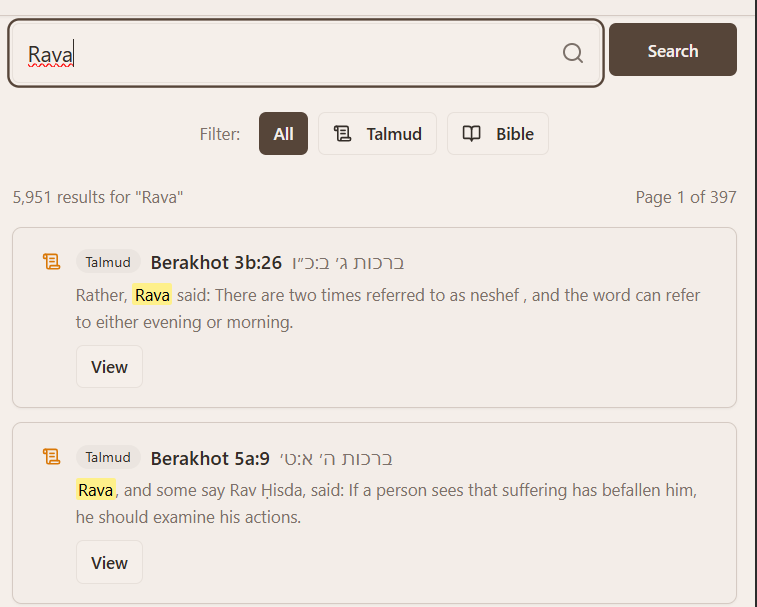
A name like Rava to find statements by this Talmudic sage:
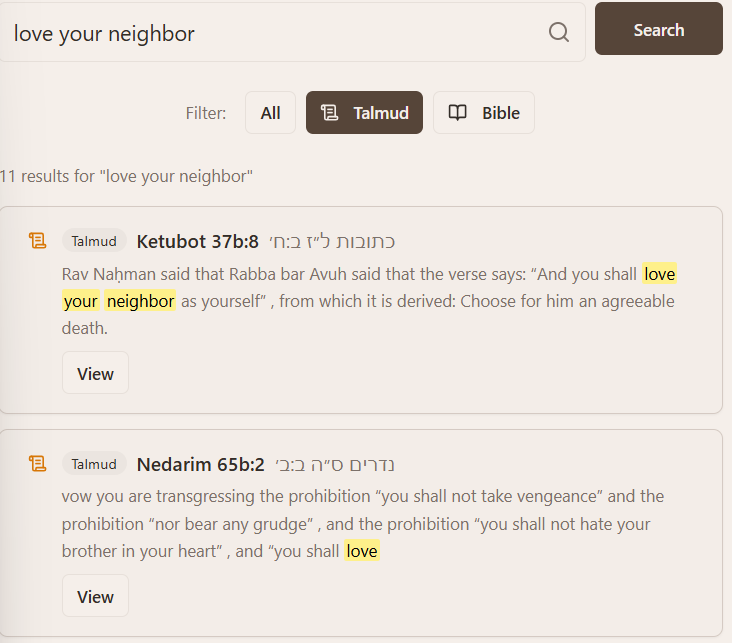
“love your neighbor”
A phrase like “love your neighbor” to find related passages:
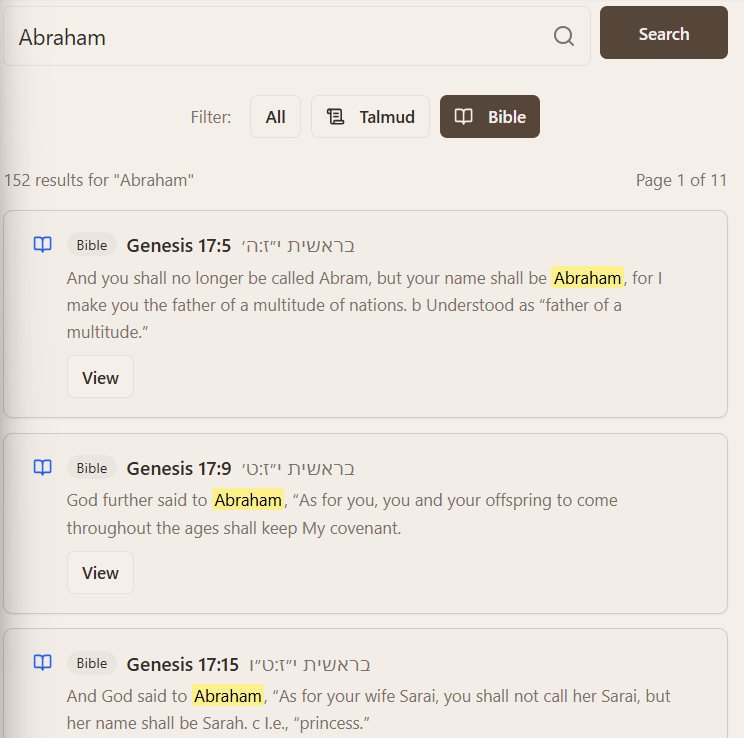
“Abraham”
A biblical figure like Abraham across both Talmud and Bible, filtered for “Bible”:
How It Works
When you visit the search page, you’ll see a search box where you can enter any word or phrase. As you type, the system suggests common Talmudic concepts that match what you’re entering. These suggestions come from a curated list of terms that appear frequently in rabbinic literature.
After you submit your search, results appear with the matching text highlighted in yellow. Each result shows:
The source reference (e.g., “Berakhot 5a:9” or “Genesis 12:1”)
A snippet of the text with your search term highlighted
Whether it’s from the Talmud or Bible
You can filter results to show only Talmud passages, only Bible verses, or both.
Direct Navigation
One aspect I particularly wanted to get right is navigation. When you click “View in ChavrutAI” on a search result, you’re taken directly to that specific section or verse—not just the page, but the exact location in the text. For Talmud results, this means scrolling to the specific section number. For Bible results, it means scrolling to the specific verse.
Filtering Results
After searching, three filter buttons appear: All, Talmud, and Bible. If you’re specifically looking for something in the Talmud and don’t want Bible results (or vice versa), you can narrow down the results with a single click.
What’s Not Included
To keep results focused on texts that are actually available in ChavrutAI, the search excludes additional primary literature that are broadly categorized by Sefaria under Bible and Talmud:2
Minor tractates (like Avot DeRabbi Natan or Derekh Eretz Rabbah)
Commentaries on the Talmud or Bible (like Rashi’s commentary)
Midrashic collections
Later rabbinic literature
A Note on Search Quality
The search uses Sefaria’s search infrastructure, which means results are based on their indexed text. The quality of results depends on how well your search term matches the actual text. Phrase searches work well, but keep in mind that Hebrew word forms (as well as transliterations into English) can vary significantly. A search for one form of a verb won’t necessarily find all other forms.
For the best results, try searching for distinctive terms rather than common words, and experiment with both Hebrew and English if you’re not finding what you expect.3
Technical Appendix 1 - General
This section provides implementation details for those interested in how the search feature works.
Architecture Overview
The search feature consists of three main components:
Frontend UI (React/TypeScript) - Handles user input, displays results, and manages filter state
Backend API (Express.js) - Proxies requests to Sefaria and filters results
External Search Service (Sefaria ElasticSearch) - Provides the actual full-text search capability
Search Flow
User enters a query on the frontend
Frontend sends GET request to
/api/search/textwith query parametersBackend constructs an ElasticSearch query with path filters
Backend POSTs to Sefaria’s search API (
/api/search/text/_search)Backend processes results, determines type (
talmud/bible), and returns JSONFrontend renders results with React Query for caching and pagination
Path Filtering
To restrict results to texts available in ChavrutAI, the backend applies ElasticSearch path prefix filters:
Talmud: path starts with Talmud/Bavli/Seder
Bible: path starts with Tanakh/Torah, Tanakh/Prophets, or Tanakh/Writings
This excludes minor tractates (path: Talmud/Bavli/Minor Tractates/...) and commentaries (path: Tanakh Commentary/...).
Type Filter Implementation
When the user selects a filter (All/Talmud/Bible), the frontend passes a type parameter to the API. The backend dynamically constructs the path filter array based on this parameter, then recomputes result counts.
Deep Linking
Search results include anchor links for precise navigation:
Talmud: Reference “Berakhot 5a:9” → URL
/tractate/berakhot/5a#section-9Bible: Reference “Genesis 1:1” → URL
/bible/genesis/1#verse-1
The regex parser handles range references (e.g., “5a:9-10”) by extracting the first number for the anchor.
Autosuggest
As users type, the frontend queries a list curated from the “Concepts” gazetteer from my talmud-nlp-indexer project. This provides suggestions for common Talmudic terminology.4
Technical Appendix 2 - Filtering for Language and Version when fetching from Sefaria
This appendix documents the challenges and solutions for filtering search results to show only English and Hebrew text, matching the translations used in ChavrutAI (Ed. Steinsaltz / William Davidson Edition for Talmud, JPS for Bible).
The Problem
Search results included text in German, Portuguese, Spanish, and other languages. For example, searching for “hanuka” returned results like:
Hona sagte: Die Dochte und Öle, von denen die Weisen gesagt haben...
This was clearly German, not the desired English translation.
First Attempt: Language Field Filtering
Sefaria’s ElasticSearch index includes a lang field on each document. The obvious solution was to filter by language:
{
  “filter”: {
    “bool”: {
      “should”: [
        { “term”: { “lang”: “en” } },
        { “term”: { “lang”: “he” } }
      ]
    }
  }
}
Result: This filter was applied, but German results still appeared.
Discovery: Mislabeled Language Metadata
Direct API testing revealed the issue. Querying Sefaria’s API and examining the returned documents showed:
{
  “lang”: “en”,
  “version”: “Talmud Bavli. German trans. by Lazarus Goldschmidt, 1929 [de]”
}
The 1935 German translation of the Talmud by Lazarus Goldschmidt is labeled with lang: “en” in Sefaria’s index. (This seems to be an incorrect lablel on Sefaria’s end.)
Second Attempt: Version Name Filtering
Since lang was unreliable, I shifted to filtering by the version field, which contains the translation name. The approach: exclude versions containing language identifiers.
First attempt used wildcard queries:
{
  “must_not”: [
    { “wildcard”: { “version”: “*German*” } },
    { “wildcard”: { “version”: “*[de]*” } }
  ]
}
Result: Wildcard queries appeared to have no effect. Results still included German text.
Query Structure Issue
After further testing, I discovered the must_not clause was placed inside the filter array, which doesn’t work correctly in ElasticSearch. The must_not clause needs to be a sibling of must and filter within the bool query, not nested inside filter.
Incorrect structure:
{
  “bool”: {
    “must”: { ... },
    “filter”: [
      { ... },
      { “bool”: { “must_not”: [ ... ] } }  // Wrong: nested inside filter
    ]
  }
}
Correct structure:
{
  “bool”: {
    “must”: { ... },
    “filter”: [ ... ],
    “must_not”: [ ... ]  // Correct: sibling of must and filter
  }
}
Third Attempt: Match Queries
Wildcard queries didn’t work reliably, possibly due to how the version field is analyzed in Sefaria’s index. Switching to match queries proved effective:
{
  “must_not”: [
    { “match”: { “version”: “German” } },
    { “match”: { “version”: “[de]” } }
  ]
}
Result: German results were excluded.
Additional Language Discovery
Testing with other queries revealed Portuguese results were still appearing:
Mas Rava disse: Havia dois crepúsculos...
Examining the version field showed:
{
  “version”: “Publicado em 5784, Saymon Pires da Silva [pt]”
}
This version doesn’t contain the word “Portuguese”—it uses the language code [pt] instead. The filter needed to include both full language names and ISO codes.
From Blacklist to Whitelist
Initial attempts used a blacklist approach—excluding versions containing language markers like “German”, “[de]”, “Portuguese”, “[pt]”, etc. While this worked, it was fragile:
New translations could slip through if they used unexpected naming conventions
The exclusion list kept growing as we discovered more edge cases
There was no guarantee of consistency with what ChavrutAI actually displays
The better approach: whitelist the specific versions we want.
The Whitelist Approach
Instead of excluding unwanted versions, we now explicitly include only the versions that match what ChavrutAI displays:
{
  “should”: [
    { “match_phrase”: { “version”: “William Davidson Edition - English” } },
    { “match_phrase”: { “version”: “Tanakh: The Holy Scriptures, published by JPS” } },
    { “term”: { “lang”: “he” } }
  ],
  “minimum_should_match”: 1
}
This approach ensures:
Talmud results come only from the William Davidson Edition (English translation, i.e. ed. Steinsaltz)
Bible results come only from the JPS 1985 translation (”Tanakh: The Holy Scriptures, published by JPS”)
Hebrew text from both sources is also included
The versions were chosen to match exactly what ChavrutAI displays.
The development of this feature was partially inspired by the completely unrelated, but very exciting, work being done on the new Genizah corpus text, by Hillel Gershuni and others, see Yehudah Seewald’s recent post at Academia discussing this, and the ensuing discussion in the comments.
This requires special filtering; see my discussion about this in the appendix.
Note that Dicta Talmud search seems to be better than Sefaria search, for Hebrew, to find a wider range of words, taking into account standard spelling variants.
I ran a script to check all these entries, to make sure that they in fact return search results in Sefaria’s search API.
Thank you; and this is a very thoughtful gift!